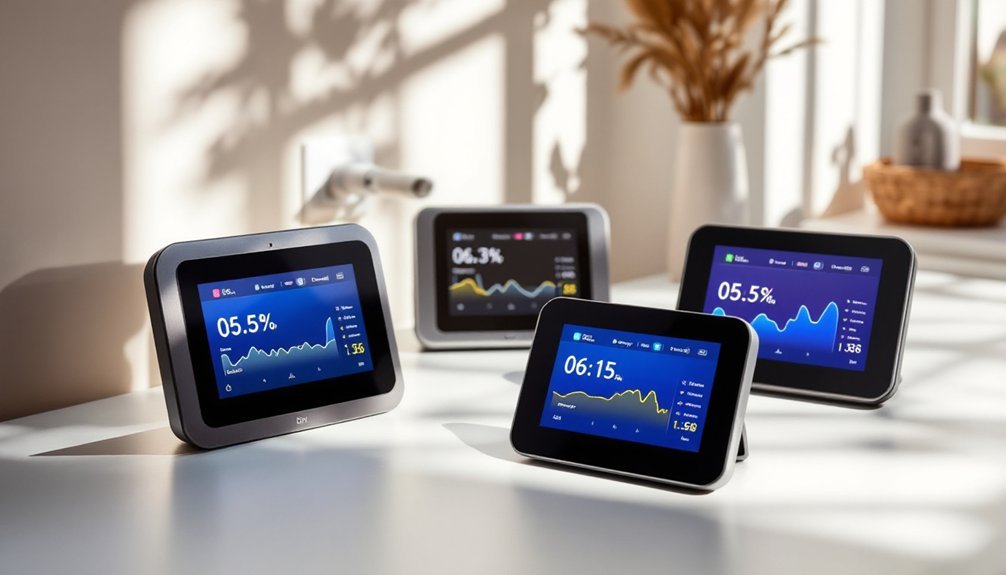
If you’re trying to cut energy waste and keep better tabs on your home’s power use, wireless energy monitors can give you that visibility without a messy install. The best models now combine accurate circuit-level tracking, smart home support, and local data control, but they don’t all work the same way. As you compare the top options for 2026, a few standout differences will matter more than you might expect.
| Emporia Vue 3 Home Energy Monitor |  | Best Overall | Monitoring Type: Whole-home + circuits | Connectivity: WiFi + app | Installation: Clamp-on panel | CHECK ON AMAZON | Read Our Analysis |
| SIEMENS Smart Home Energy Monitor with Sensors |  | Best for Panels | Monitoring Type: Main + circuits | Connectivity: Mobile app | Installation: Panel sensors | CHECK ON AMAZON | Read Our Analysis |
| Refoss Smart Home Energy Monitor with Open API Home Assistant No Cloud |  | Best for Privacy | Monitoring Type: Main + circuits | Connectivity: Local network | Installation: Clamp-on panel | CHECK ON AMAZON | Read Our Analysis |
| Eyedro Smart Home Energy Monitor 200A Meter |  | Best for Solar | Monitoring Type: Whole-home + solar | Connectivity: WiFi/Ethernet | Installation: Clamp-on sensors | CHECK ON AMAZON | Read Our Analysis |
| Meross Smart Home Energy Monitor Real-Time Power & Cost Tracking |  | Best Feature Set | Monitoring Type: Main + circuits | Connectivity: Local network | Installation: Clamp-on panel | CHECK ON AMAZON | Read Our Analysis |
| Kasa Smart Plug Mini with Energy Monitoring |  | Best Smart Plug | Monitoring Type: Single outlet | Connectivity: WiFi + app | Installation: Plug-in | CHECK ON AMAZON | Read Our Analysis |
| Tapo Smart Plug Wi-Fi Energy Monitoring P115(4-Pack) 15A |  | Best Budget Pack | Monitoring Type: Single outlet | Connectivity: WiFi + app | Installation: Plug-in | CHECK ON AMAZON | Read Our Analysis |
More Details on Our Top Picks
Emporia Vue 3 Home Energy Monitor
If you want whole-home and circuit-level tracking, the Emporia Vue 3 stands out as the top all-around pick. You get UL and CE listed safety, so you can monitor power with confidence. It installs inside your panel with clamp-on sensors and works with single-phase, split-phase, and compatible three-phase systems. You can track 16 circuits, plus solar and net metering, with ±2% accuracy. Use the app over 2.4 GHz Wi-Fi for real-time data, alerts, exports, and automation. It stores hourly history indefinitely. The 1-year warranty adds extra reassurance.
- Monitoring Type:Whole-home + circuits
- Connectivity:WiFi + app
- Installation:Clamp-on panel
- Smart Alerts:Yes
- Solar Support:Yes
- App Control:Yes
- Additional Feature:1-second live data
- Additional Feature:7-day minute history
- Additional Feature:16 branch sensors
SIEMENS Smart Home Energy Monitor with Sensors
Need whole-home monitoring at the panel level? The SIEMENS Inhab Smart Home Energy Monitor gives you real-time electricity tracking at the mains and up to 16 branch circuits, so you don’t have to guess where power’s going. You can use 16–50A sensors for individual circuits and 2–200A sensors for main panel measurement. Through the mobile app, you’ll see 24/7 current and historical usage in the US and Canada. Set alerts for unusual loads or savings opportunities, and manage time-of-use, peak demand, solar, net metering, or EV charger shedding. It’s CE marked and UL Listed.
- Monitoring Type:Main + circuits
- Connectivity:Mobile app
- Installation:Panel sensors
- Smart Alerts:Yes
- Solar Support:Yes
- App Control:Yes
- Additional Feature:16 branch circuits
- Additional Feature:Time of use management
- Additional Feature:Load shedding support
Refoss Smart Home Energy Monitor with Open API Home Assistant No Cloud
Refoss EM16P is ideal when you want privacy-first energy monitoring without cloud dependence. You can track voltage, current, active power, and power factor locally through its Web UI, Open API, or MQTT, so your data stays on your network. It integrates natively with Home Assistant, and you won’t need firmware flashing or coding. If you run solar, you can automate EV chargers, washers, and water heaters to use peak generation. You also get ±1% accuracy, long-term data storage, instant alerts, ETL-certified safety, and clamp-on installation.
- Monitoring Type:Main + circuits
- Connectivity:Local network
- Installation:Clamp-on panel
- Smart Alerts:Yes
- Solar Support:Yes
- App Control:Yes
- Additional Feature:Local Web UI
- Additional Feature:Open API access
- Additional Feature:5-year data storage
Eyedro Smart Home Energy Monitor 200A Meter
With dual 200A sensors, Eyedro tracks solar and grid energy for detailed home monitoring. You get real-time visibility into whole-house consumption and production, so you can spot waste fast. It works with 2.4 GHz WiFi or wired Ethernet, and it shows usage in watts, amps, volts, and dollars. Use one unit for either grid or solar monitoring, or add a second with MyEyedro’s Net Meter plugin for both. You don’t need a subscription, and North American safety standards add peace of mind. It’s a smart pick for cost control and efficiency.
- Monitoring Type:Whole-home + solar
- Connectivity:WiFi/Ethernet
- Installation:Clamp-on sensors
- Smart Alerts:No subscription alerts
- Solar Support:Yes
- App Control:Yes
- Additional Feature:No subscription required
- Additional Feature:Net Meter plugin
- Additional Feature:Dollars, watts, volts
Meross Smart Home Energy Monitor Real-Time Power & Cost Tracking
Meross fits you if you want detailed, real-time energy tracking without subscriptions. You’ll see power, voltage, current, and power factor with ±1% accuracy, plus charts by minute, hour, day, month, and year. It supports 2 main circuits and 16 branch circuits, so you can track usage at the circuit level. ETL certification and UL 61010 compliance help keep installation safe, and the clamp-on design makes setup easy. You can monitor remotely, set alerts, export data, and store five years of records. It also works with Home Assistant for solar automation, while keeping your data local.
- Monitoring Type:Main + circuits
- Connectivity:Local network
- Installation:Clamp-on panel
- Smart Alerts:Yes
- Solar Support:Yes
- App Control:Yes
- Additional Feature:5-year data storage
- Additional Feature:Hourly report export
- Additional Feature:Two main circuits
Kasa Smart Plug Mini with Energy Monitoring
If you want simple energy monitoring plus hands-free control, the Kasa Smart Plug Mini KP115 fits well. You can control any outlet with Alexa or Google Home Assistant, or tap the Kasa app to switch electronics on and off from anywhere. It works over 2.4GHz Wi-Fi and doesn’t need a hub, so setup stays quick: plug it in, follow the app steps, and you’re ready. You also get overheating protection, a fireproof shell, and a sliding safety cover for kids. UL certification, a 2-year warranty, and millions of users add extra confidence.
- Monitoring Type:Single outlet
- Connectivity:WiFi + app
- Installation:Plug-in
- Smart Alerts:Overheat protection
- Solar Support:No
- App Control:Yes
- Additional Feature:Fireproof shell
- Additional Feature:Overheating protection
- Additional Feature:Sliding safety cover
Tapo Smart Plug Wi-Fi Energy Monitoring P115(4-Pack) 15A
Tapo’s 4-pack P115 smart plugs fit you well when you want budget-friendly energy monitoring across multiple devices. You can track usage with clear stats and intuitive charts, then compare single or periodic readings to spot waste fast. The plugs can also sync with billing data, so you see estimated energy costs. Use the Tapo app to control outlets remotely, or ask Alexa and Google Assistant for voice help. Schedule power-hungry gear for off-peak hours, and rely on overload protection and smart charging to cut power safely and avoid overcharging.
- Monitoring Type:Single outlet
- Connectivity:WiFi + app
- Installation:Plug-in
- Smart Alerts:Overload shutoff
- Solar Support:No
- App Control:Yes
- Additional Feature:Automatic overload shutoff
- Additional Feature:Smart charging cutoff
- Additional Feature:4-pack bundle
Factors to Consider When Choosing Wireless Energy Monitors
When you choose a wireless energy monitor, you’ll want to check its monitoring accuracy so you can trust the readings. You should also confirm circuit compatibility, data retention, and installation ease to make sure it fits your setup and daily use. Don’t forget to look for safety certifications, since they help guarantee the device meets key protection standards.
Monitoring Accuracy
Monitoring accuracy matters because it determines how much you can trust the numbers your wireless energy monitor gives you. You should look for a device with a clear error rating, ideally around ±1% to ±2% for current and power readings. That level of precision helps you compare real energy use and estimate costs more confidently. Good clamp-on CT sensors also improve reliability, since they capture current cleanly at the main panel and on branch circuits. If you care about low-draw devices, check how the monitor handles small loads, because accuracy can slip there. Fast updates, even every second, help you catch short spikes and cycling patterns. When voltage, current, power factor, and active power all stay precise, your overall data stays dependable.
Circuit Compatibility
Before you buy a wireless energy monitor, make sure it matches your panel’s circuit type, whether that’s single-phase 2-wire, single-split phase 3-wire, or 3-phase 4-wire Wye. You should also confirm that it supports your panel’s earthed neutral setup, such as TN or TT, so it reads safely and accurately. Check the current ratings too: many homes need branch sensors around 50A, while main circuits may require up to 200A. If you want appliance-level tracking, pick a model with enough branch sensors for each circuit you plan to monitor. Clamp-on sensors are a smart choice because they install without rewiring and usually fit standard panels easily. When the monitor matches your system, you’ll avoid compatibility headaches and get reliable energy readings.
Data Retention
How long do you want your energy data to stick around? Some wireless energy monitors keep only seconds or minutes of high-resolution readings, while others archive data for years. You’ll want to check whether the system saves detailed usage temporarily and then stores summaries in the cloud or locally. Export options matter too, because they let you download records for offline review and long-term trend tracking. If you prefer more control, choose a monitor with local storage so you can manage retention without depending on cloud services. That also supports privacy and easier access if your internet changes. Knowing the data’s granularity and retention policy helps you turn raw readings into practical insights for smarter energy management and long-term savings.
Installation Ease
Installation ease can make or break your experience with a wireless energy monitor. You’ll usually install clamp-on sensors inside your circuit panel, so you can avoid rewiring your home. Check that the monitor matches your system, whether you have a single-phase 2-wire setup or a 3-phase 4-wire Wye panel, because compatibility affects how many sensors you need and how easily they fit. If you want appliance-level insight, choose a model with multiple branch sensors; they let you monitor specific loads without major changes, but you’ll need to place them carefully. Look for screw terminals, too, since they help you trim sensor wires and reduce clutter. Finally, make sure your panel area has reliable 2.4 GHz WiFi and internet access so setup and remote monitoring work smoothly.
Safety Certifications
Once your monitor fits your panel and is easy to install, the next thing to check is safety certification. Look for UL listing, CE marking, or UL 61010 compliance, because these show the device has been tested for electrical safety. That matters when you’re placing sensors and terminals inside your home panel, where poor insulation or weak isolation can create shock, overheating, short-circuit, or fire risks. Certified monitors have also been evaluated for durability and safe performance under normal residential wiring conditions. When you choose a product with recognized approvals, you get stronger confidence that its clamp-on sensors, terminals, and internal components meet established standards. In short, certification helps you pick a monitor that’s not just convenient, but safe for everyday use in your electrical system.
Smart Integrations
Smart integrations can turn a wireless energy monitor from a simple tracking tool into a smarter part of your home. When you choose one that works with your automation platform, you can trigger routines from real-time usage data and control appliances more intelligently. Look for Alexa and Google Home support if you want hands-free checks and voice commands. Open APIs and standard protocols matter too, since they let you connect other devices and third-party apps without hassle. If you value privacy and speed, pick a monitor with local control instead of cloud-only operation. Some models also support solar surplus detection, so you can automatically shift loads like EV chargers or water heaters when extra power’s available.
Solar Support
Solar support is a key feature if you’ve got panels and want to see both what you’re using and what you’re producing. You should look for a monitor that tracks solar generation alongside household consumption, so you can see net metering clearly. Good systems show grid input and solar output separately, which helps you understand where your power comes from and how much you save. The best monitors also flag excess generation and can help you shift loads, like running appliances when solar production peaks. If you use time-of-use rates or want peak-demand control, choose a model that works with those settings. Alerts and reports about feed-in and solar use can also help you get more from your panels.
Privacy Controls
If you’re tracking solar alongside household usage, privacy matters just as much as accuracy. Choose a monitor that keeps data on your local network through onboard storage or a local web interface, so your usage patterns don’t leave home unnecessarily. That reduces exposure to cloud breaches, unauthorized access, and vendor profiling. Look for open APIs and smart home integrations, since they let you control how data moves without depending on third-party servers. Strong models also encrypt Wi-Fi traffic and use secure communication protocols, which helps protect readings in transit. Before you buy, check for customizable privacy settings, clear data-retention terms, export options, and rules for third-party sharing. If a company won’t explain those details plainly, keep shopping.
Frequently Asked Questions
What Devices Can Wireless Energy Monitors Track Beyond Whole-Home Usage?
You can track specific appliances, HVAC systems, EV chargers, water heaters, refrigerators, laundry machines, and solar inverters. Some monitors even follow individual circuits, so you’ll spot energy hogs and cut waste quickly.
Do Wireless Energy Monitors Work Without Professional Installation?
Yes, you can usually install wireless energy monitors yourself. You’ll clip sensors or plug in a hub, then connect the app. If your system needs panel access, though, you might want a licensed electrician.
Can I Access Energy Data Remotely From My Phone?
Yes, you can access energy data remotely from your phone if your monitor includes Wi‑Fi or app support. You’ll view live usage, trends, and alerts anywhere, as long as your monitor stays connected.
How Accurate Are Wireless Energy Monitor Readings Compared to Utility Meters?
You’ll usually get close readings, but they’re not as exact as utility meters. Wireless monitors can vary by 1–5%, while utility meters are more tightly calibrated, so use yours for estimates, not billing.
Do Wireless Energy Monitors Support Solar Power System Monitoring?
Yes, you can monitor solar power systems with many wireless energy monitors if they support bidirectional metering or inverter integration. You’ll track production, consumption, and grid export, but compatibility varies by brand and setup.