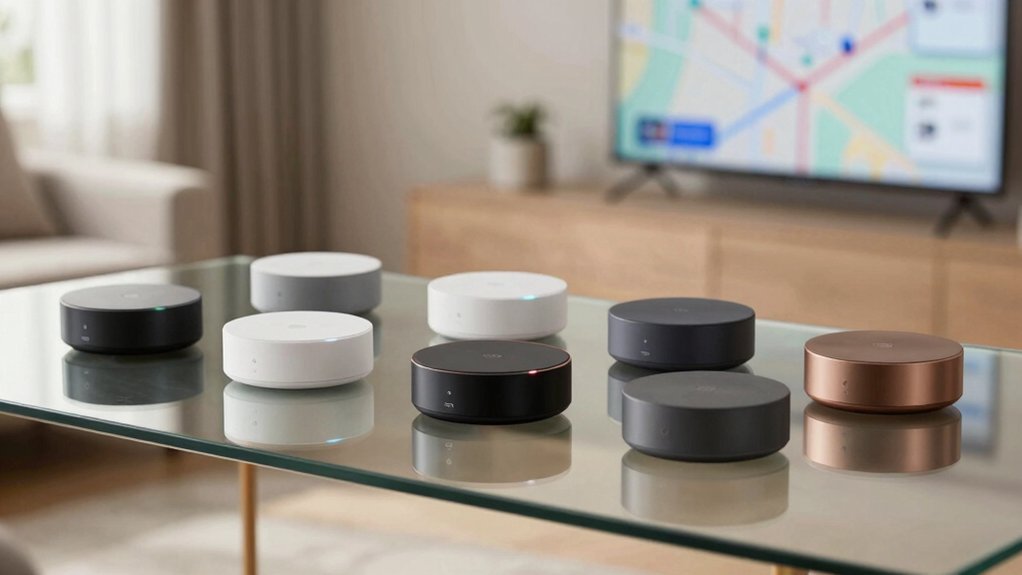
As you map out a Zigbee-powered home in 2026, you’ll want a hub that handles local automation, multi‑protocol support, and reliable Zigbee performance. The 7 best options mix Matter bridging, Thread compatibility, and easy setup, with models offering robust performance and future‑proofing. We’ll weigh features like local processing, device capacity, and power options before you commit, and there’s a surprising angle you might not expect to weigh first.
| Aeotec Smart Home Hub: Z-Wave Zigbee Matter |  | Best All-in-One Hub | Zigbee: Yes | Local automations: Many automations run locally | Multi-protocol/support breadth: Z-Wave, Zigbee, Matter | CHECK ON AMAZON | Read Our Analysis |
| Aqara M3 Smart Home Hub: Matter Zigbee Thread |  | Matter Bridge Pro | Zigbee: Yes (Aqara Zigbee) | Local automations: Local automations via Edge Hub (migrate from Aqara hub) | Multi-protocol/support breadth: Aqara Zigbee, Thread; Matter bridge | CHECK ON AMAZON | Read Our Analysis |
| Multi-mode Smart Gateway with ZigBee Bluetooth Mesh |  | Multi-Protocol Bridge | Zigbee: Yes (ZigBee) | Local automations: Local automation | Multi-protocol/support breadth: Bluetooth, Zigbee, Wi-Fi | CHECK ON AMAZON | Read Our Analysis |
| Aeotec Smart Home Hub2 V4: Zigbee Matter Alexa |  | Matter-Enabled Hub | Zigbee: Yes (Zigbee) | Local automations: Local automations continue offline | Multi-protocol/support breadth: Matter, Zigbee | CHECK ON AMAZON | Read Our Analysis |
| Hubitat Elevation Home Automation Hub C-8 Pro |  | Local-First Powerhouse | Zigbee: Yes (Zigbee 3.0) | Local automations: Local processing | Multi-protocol/support breadth: Z-Wave, Zigbee, Matter | CHECK ON AMAZON | Read Our Analysis |
| MOES ZigBee Bluetooth Mesh Gateway for Tuya |  | Budget Multi-Protocol | Zigbee: Yes (ZigBee) | Local automations: Local scenario, local automation | Multi-protocol/support breadth: ZigBee, Bluetooth Mesh | CHECK ON AMAZON | Read Our Analysis |
| Aqara M100 Smart Hub for Matter Zigbee Wi-Fi |  | Compact Matter Hub | Zigbee: Yes (Aqara Zigbee) | Local automations: Local automation | Multi-protocol/support breadth: Aqara Zigbee, Thread, Matter | CHECK ON AMAZON | Read Our Analysis |
More Details on Our Top Picks
Aeotec Smart Home Hub: Z-Wave Zigbee Matter
If you want a single hub that bridges Z-Wave, Zigbee, and Matter, the Aeotec Smart Home Hub is your pick. It works as a SmartThings hub and acts as a gateway, compatible with Alexa, Google Assistant, and WiFi. Setting it up is simple via Wi‑Fi or wired Ethernet, and you’ll be ready in minutes via SmartThings. Automations run in the app, coordinating lights, sensors, switches, and devices, with rules executing locally for speed and reliability. It’s designed for North America and supports Matter, SmartThings, Z-Wave Plus V3, Zigbee. Manage devices from Android, iOS, or iPadOS and use voice assistants.
- Zigbee:Yes
- Local automations:Many automations run locally
- Multi-protocol/support breadth:Z-Wave, Zigbee, Matter
- App control:SmartThings app
- Network / power access:Wi-Fi or Ethernet
- Voice control:Alexa, Google Assistant
- Additional Feature:Matter gateway
- Additional Feature:Z-Wave Plus V3
- Additional Feature:North America design
Aqara M3 Smart Home Hub: Matter Zigbee Thread
The Aqara M3 Smart Home Hub is ideal if you want a single, local-first gateway that bridges Matter with Aqara Zigbee and Thread devices, and syncs Aqara-exclusive scenes with Matter ecosystems. As a multi-protocol hub, it handles Matter, Aqara Zigbee, Thread.
It prioritizes local control and migrates automations from Aqara hubs without cloud reliance, though notifications need internet. It includes a 360° IR blaster that learns remotes and exposes IR-controlled AC units to Matter, PoE, Wi‑Fi, and USB-C for UPS. It stores 8GB and supports 127 Zigbee Aqara and 127 Thread devices. Privacy stays with no microphone or camera.
- Zigbee:Yes (Aqara Zigbee)
- Local automations:Local automations via Edge Hub (migrate from Aqara hub)
- Multi-protocol/support breadth:Aqara Zigbee, Thread; Matter bridge
- App control:Aqara Home app
- Network / power access:Dual-band Wi‑Fi; PoE
- Voice control:Not specified
- Additional Feature:PoE power port
- Additional Feature:8GB encrypted local storage
- Additional Feature:Magic Pair detection
Multi-mode Smart Gateway with ZigBee Bluetooth Mesh
Opt for this multi-mode gateway if you need a single hub that bridges ZigBee, Bluetooth mesh, and other devices into your 2.4 GHz network, a 2-in-1 gateway that handles Zigbee3.0 and Bluetooth mesh. It connects different protocols to one 2.4G network, simplifying setup. Use the app—Smart Life/Tuya—to add devices, reset, and group-control, even when you’re away. Voice control works with Alexa and Google Home, so you can command lights or the Finger Bot by speaking. It enables automation, letting sub-devices trigger interactions across ZigBee, Bluetooth, and Wi-Fi. Supports up to 128 Tuya Smart Life devices. Perfect for whole-home setups.
- Zigbee:Yes (ZigBee)
- Local automations:Local automation
- Multi-protocol/support breadth:Bluetooth, Zigbee, Wi-Fi
- App control:Tuya/Smart Life App
- Network / power access:2.4G network (gateway)
- Voice control:Alexa, Google Home
- Additional Feature:Bluetooth mesh + ZigBee3.0
- Additional Feature:App remote control
- Additional Feature:128 Tuya devices
Aeotec Smart Home Hub2 V4: Zigbee Matter Alexa
A SmartThings-powered hub with Zigbee and Matter support makes the Aeotec Smart Home Hub2 V4 a strong pick for consolidating devices across lighting, sensors, plugs, and switches while keeping automations running locally even when the internet is down. You’ll connect, monitor, and automate via the SmartThings app within Samsung’s unified ecosystem. It supports Matter and Zigbee, dozens of device types, and thousands of compatible accessories, though Z-Wave isn’t supported. You can control things with Alexa or Google Assistant, and use custom routines for security, lighting, and energy savings, with easy Wi‑Fi or Ethernet setup. for smooth, responsive everyday use.
- Zigbee:Yes (Zigbee)
- Local automations:Local automations continue offline
- Multi-protocol/support breadth:Matter, Zigbee
- App control:SmartThings app
- Network / power access:Wi‑Fi or Ethernet
- Voice control:Amazon Alexa; Google Assistant
- Additional Feature:Z-Wave not supported
- Additional Feature:SmartThings powered
- Additional Feature:Matter + Zigbee protocol support
Hubitat Elevation Home Automation Hub C-8 Pro
With Hubitat Elevation’s C-8 Pro, you get true local processing that runs all data and automations on the hub, delivering faster performance and stronger privacy. You can manage 1000+ devices from 100+ brands, create detailed rules from the hub, and enjoy no external services. Z-Wave 800 and Zigbee 3.0 chips keep things compatible, Matter support and bridges enable broader interoperability. It works with Apple HomeKit, Amazon Alexa, and Google Home, and is built for larger homes with stronger antennas. Rich Hubitat docs guide setup, troubleshooting, and ongoing updates; initial restarts may occur during updates. Plan ahead with compatibility lists.
- Zigbee:Yes (Zigbee 3.0)
- Local automations:Local processing
- Multi-protocol/support breadth:Z-Wave, Zigbee, Matter
- App control:Hubitat app
- Network / power access:Typically Ethernet/power via hub (not explicitly detailed)
- Voice control:Apple HomeKit, Amazon Alexa, Google Home
- Additional Feature:Z-Wave 800 chip
- Additional Feature:Zigbee 3.0 (ZHA) compatible
- Additional Feature:Matter bridges supported
MOES ZigBee Bluetooth Mesh Gateway for Tuya
Designed for multi-protocol homes, the MOES ZigBee Bluetooth Mesh Gateway for Tuya combines ZigBee and Bluetooth Mesh devices into a single 2.4 GHz network. You connect diverse protocol devices without juggling multiple hubs, one gateway handles ZigBee3.0 and Bluetooth Mesh alongside Tuya’s ecosystem.
Supports up to 128 Tuya devices, from Bluetooth door locks to ZigBee plugs, with local automation and a sound/light alarm. Set up quickly—no wiring needed—and add, reset, and group devices via the MOES/Smart Life app, with Alexa or Google Assistant for voice control. Remote access keeps you in command wherever you are and guarantees quick adjustments.
- Zigbee:Yes (ZigBee)
- Local automations:Local scenario, local automation
- Multi-protocol/support breadth:ZigBee, Bluetooth Mesh
- App control:MOES/Smart Life App
- Network / power access:Quick, easy setup; no wiring required
- Voice control:Alexa, Google Assistant
- Additional Feature:Bluetooth mesh support
- Additional Feature:128 Tuya devices
- Additional Feature:Alarm and security features
Aqara M100 Smart Hub for Matter Zigbee Wi-Fi
Seeking a Matter-enabled Zigbee hub that also covers Thread devices, the Aqara M100 acts as a true multi-protocol bridge. You can connect Aqara Zigbee and Thread devices up to 20 each, supporting lights, thermostats, plugs, switches, buttons, and sensors. It bridges to Matter ecosystems like Apple Home, Amazon Alexa, and Home Assistant, and lets you expand with Aqara or third-party Matter devices. Local automation runs fast with millisecond-level responses, while some features rely on cloud. Power comes via USB-A, with a 210-degree adjustable shaft for flexible placement. It uses 2.4GHz Wi‑Fi 6 and WPA3 security for safer, reliable control.
- Zigbee:Yes (Aqara Zigbee)
- Local automations:Local automation
- Multi-protocol/support breadth:Aqara Zigbee, Thread, Matter
- App control:Aqara Home/Matter ecosystem apps
- Network / power access:USB-A power
- Voice control:Not explicitly stated (Matter ecosystem-focused; voice support typically via ecosystem)
- Additional Feature:USB-C power/data
- Additional Feature:210-degree adjustable shaft
- Additional Feature:20 Aqara Zigbee / 20 Thread devices
Factors to Consider When Choosing Zigbee Smart Home Hubs for Building a Whole-Home Automation System
When you choose a Zigbee hub, start by checking protocol compatibility with your devices and Matter support if relevant. You’ll care about local automation quality, since on-device processing means faster, reliable routines without cloud lag. Consider ecosystem size, setup and maintenance effort, plus how power and connectivity options align with your home, so you won’t hit gaps later.
Protocol Compatibility
How should you gauge protocol compatibility when picking a Zigbee hub for a whole-home system? Look for Zigbee 3.0 support to guarantee broad device compatibility and consistent interoperability across brands. A hub that includes a Matter bridge can connect Zigbee devices to Matter ecosystems, enabling cross-platform control and automation. Multi-protocol capability (Zigbee alongside Thread, Bluetooth Mesh, or Zwave) expands device support and enables more complex automations. Some hubs only support specific Zigbee device groups (e.g., Aqara Zigbee devices) and may not work with third-party Zigbee devices, so check device compatibility lists. Local vs cloud automation matters: hubs with local Zigbee processing offer faster, more private control even if some Matter/remote features rely on cloud. Choose a model that matches your brands and workflows well.
Local Automation Quality
Ever notice how automations feel instant when the hub does most of the work locally? When edge processing is prioritized, you get automations that run without cloud dependency, so outages won’t break your routines. Millisecond-level response times for Zigbee and Matter devices signal a highly responsive local system, letting lights, sensors, and scenes react in true near real time. Storing device lists, config params, and automations locally reduces latency and strengthens reliability for on-site triggers you depend on daily. Offline operation support means your automations keep working even during internet outages or cloud interruptions. A robust local-automation design scales to hundreds of devices, with efficient routing and minimal bottlenecks, preserving performance as your network grows. This is the backbone of dependable whole-home automation systems.
Device Ecosystem Size
A hub’s ecosystem size matters because it directly shapes how many devices you can reliably connect and manage in a single system. Some hubs cap Zigbee devices at specific limits, like up to 127 Aqara Zigbee devices plus 127 Thread devices on the Aqara M3. Other hubs push bigger boundaries: Hubitat Elevation advertises 1000+ devices from 100+ brands, enabling a very large ecosystem. The Aqara M100, by contrast, supports up to 20 Aqara Zigbee devices and 20 Thread devices, limiting overall Zigbee breadth. Tuya/Smart Life gateways list support for up to 128 Tuya Zigbee/Bluetooth devices, defining a sizable but Tuya-only ecosystem. Multi-protocol hubs with Matter bridges can extend reach beyond Zigbee, boosting total compatible devices across protocols. Choose wisely based on your needs today.
Setup And Maintenance
Typically, setup is completed in minutes via a mobile app over Wi‑Fi or Ethernet. During provisioning, you’ll find useful on‑device or cloud‑assisted steps, and some hubs support Power over Ethernet (PoE) or USB power to keep uptime during maintenance or outages. Local automation is commonly supported, so most automations run offline after setup for reliability during maintenance windows. Core automations stay local, but features like cloud notifications or remote access may need internet connectivity during ongoing maintenance or updates. Placement guidance specifies a router distance (for example, 6–19 feet) and includes mounting hardware for wall or ceiling installation to optimize reliability and signal. If you expect frequent firmware updates, verify seamless updates without rebooting critical automations, and check whether local fallback modes persist during reconnects.
Power And Connectivity
Power options and network connectivity determine how quietly your hub runs and how fast automations respond, building on what you learned about setup and maintenance. Some hubs offer PoE, letting power and data flow over a single cable for reliability. Many models support both Ethernet and Wi‑Fi (2.4 GHz/5 GHz), so you can place the hub where signals stay strong. USB‑C or dedicated adapters are common, with some models recommending around 2A for stable operation. Local automation improves when the hub keeps a low-latency connection, reducing cloud delays. Secure networking relies on modern protections like WPA3 and solid local storage or processing to stay resilient during outages. Choose a model that balances power options, wired and wireless flexibility, and minimal latency for responsive control.
Privacy And Security
How you manage privacy matters: prioritize local control and on-device processing to minimize cloud exposure. Look for a hub that minimizes remote data transmission and keeps automations stored locally in encrypted storage, so sensitive home data stays in your hands. Make sure devices or the hub itself announce privacy protections, such as no microphone or camera, to prevent unintended data capture. Use networks with strong wireless security, like WPA3, to guard data in transit between hub, devices, and controllers. Remember that some cloud-dependent features may still require internet access, which can reintroduce privacy risks beyond local-only automations. In practice, review privacy settings, firmware updates, and optional telemetry, and favor hubs with transparent data handling policies. Ask for audits and clear data deletion options too.
Frequently Asked Questions
Do All Zigbee Hubs Support Local Control Without Cloud?
Not all Zigbee hubs offer local control; some models require cloud access for automation. Check the device’s specifications, looking for ‘local control’ or ‘on-device processing’ to guarantee you can operate lights and scenes without internet.
Can Zigbee Hubs Handle Firmware Updates Automatically?
Yes, many Zigbee hubs handle automatic firmware updates. They pull updates over the air when you’re online, once you enable them in settings; however, some models require manual checks or periodic rebooting to apply updates.
How Many Zigbee Devices Can a Hub Support Simultaneously?
Most Zigbee hubs support around 50 to 200 devices, depending on hardware and network traffic. You’ll likely hit the limit sooner with complex scenes or frequent updates, so plan for 50–100 devices in smart homes.
Is Matter Compatibility Guaranteed Across Brands?
Not guaranteed across brands, you’ll usually get interoperability, but devices might still fail to cooperate due to firmware, certification, or feature gaps. Check Matter certification, guarantee updates, and prefer hubs and devices that support interoperability.
What’s the Best Way to Secure Zigbee Networks at Scale?
You secure Zigbee networks at scale by segmenting the network, rotating keys, enabling encryption, keeping firmware updated, disabling unused features, enforcing secure join, using Zigbee 3.0, monitoring devices, and applying access controls everywhere you can.

Leave a Reply